AI Services
AI that saves your team real hours, configured so that it cannot read what it should never see.
AI Isn't An Automatic Value-Add...
Most AI spending at your size gets wasted, not because the tools are bad but because nobody named the task. Everybody gets a license, a few try it, and by month three it goes quiet.
The other half is data. Copilot shows a person whatever their permissions allow, so the day you switch it on, every access mistake of the past five years is visible.
What Our AI Services Actually Do For You
You start with one task worth automating, not a company-wide rollout.
Permissions get fixed before any AI tool is allowed to read files.
Copilot gets deployed by a Microsoft 365 Solutions Partner, properly.
Staff get a written policy, so nobody pastes client data into a chatbot.
Licensing gets reviewed, because AI seats are expensive and often unused.
Questions about a tool reach an engineer inside thirty minutes, not a queue.
Time saved gets measured against the task, not assumed from a demo.
Why Our Clients Trust Us
Fast, Reliable Support Around the Clock
Working with ETS for about a year now, I've had a great experience every time I've contacted them for support and during our new product implementation. They have been flexible when needed and quickly responsive each time we've reached out for support. Employees are great to work with, very respectful and courteous, and at understanding our issue fully before providing possible solutions. I appreciate this company and their employees.

JOSH WRYE
A Trustworthy, Transparent Partner
I could not be happier with ETS. They are always just a phone call or e-mail away to handle our IT issues 24/7. Most of my tickets have been answered AND completed within an hour. Brian has gone above and beyond to make sure we understand our options and how they are going to be implemented. ETS has exceeded my expectations. No question or project is too small or too big for them. You may also think to yourself “Do I need an IT solution?” and the answer is YES and the company is ETS.

KATIE KASSING
Proactive IT Partnership That Exceeds Expectations
We have had the privilege of working with Empowering Technology Solutions for almost two years, and I can confidently say they have exceeded every expectation we had of a managed services partner. From the outset, they demonstrated a deep understanding of both our technical requirements and the strategic objectives of our business. Their team is consistently responsive, knowledgeable, and proactive. Whether it's day-to-day support requests, complex infrastructure projects, or critical incident response, they have delivered with professionalism and precision every step of the way. Their ability to translate technical challenges into actionable business solutions has been instrumental in reducing downtime, improving security posture, and increasing operational efficiency across our organization. What truly sets Empowering Technology Solutions apart is their commitment to partnership. They don’t operate as an outsourced vendor; they function as a true extension of our internal team. Their leadership maintains regular touchpoints with our executive staff, offering transparency, forward-thinking insights, and clear roadmaps for continuous improvement. This strategic engagement has enabled us to stay ahead of emerging technologies and regulatory requirements. In a landscape filled with reactive service providers, Empowering Technology Solutions is a rare find: a proactive, value-driven partner that consistently delivers excellence. I highly recommend them to any organization seeking a reliable, forward-thinking, and results-oriented IT MSP.

JOSEPH PROVENZANO
Responsive, Professional, and Reliable Support
Empowering Technology Solutions (ETS) has been an invaluable partner in managing the IT services for our multiple specialty clinics. Their team is consistently quick to respond, ensuring that any issues or concerns are addressed promptly and effectively. Their proactive approach to IT management has minimized downtime and enhanced the overall efficiency of our operations. What sets ETS apart is their unwavering commitment to providing tailored solutions that meet our specific needs. Whether it’s a complex network configuration or routine maintenance, ETS approaches each task with professionalism and expertise. Their knowledgeable staff are always ready to offer support, ensuring our IT infrastructure remains robust and reliable. The level of service provided by ETS goes beyond just meeting expectations; they consistently exceed them. Their ability to anticipate potential issues and implement preemptive measures has saved us time and resources. It's evident that ETS values our partnership and strives to deliver exceptional service at every opportunity. We highly recommend Empowering Technology Solutions to any organization seeking a responsive, innovative, and dedicated IT service provider. Their comprehensive approach to IT management and customer-centric focus make them a standout choice for any business looking to enhance their technological capabilities.

A A.
A Truly Dependable IT Company
We were lucky enough to find ETS years ago when our current IT company couldn't help us anymore. They are an amazing company with an amazing team. They are very organized and know their field. We have many different software programs that integrate with our main software, and we never have a major issue. It has been wonderful having a company that is so dependable, especially in the IT space where so many companies don't know what they are doing. We happily get to focus on our work rather than the latest IT issue. If you are looking for a company, give ETS a call, you will be so happy you do! :)

JUDY H
How We Get Real Value From AI For You
AI work at this size is mostly two jobs: deciding which task is genuinely worth automating, and making sure the tool cannot see data it should not. Get those right and the rollout is straightforward. Skip them and you have bought licenses nobody uses.
We Start With One Task
Pilots fail when the goal is to try AI. They work when the goal is a specific task, such as drafting the same three types of client emails every week for your team to review and approve before sending.
We Fix Permissions First
Copilot inherits whatever access a person already has. So the folder structure and the permissions get corrected before anything is switched on, rather than discovered afterward by your own staff.
We Write The AI Policy
Staff will use AI whether or not you have decided anything. A short written policy on what may be pasted where is the difference between a tool and a leak.
We Measure Hours Saved
After the rollout we check whether that task actually got faster. If it did not, those licenses come off the bill rather than sitting there quietly renewing themselves every year.


AI Readiness and Data Governance
Deciding What An AI Tool Can See Before You Turn It On
This is the part that gets skipped and the part that causes the incident. Copilot does not grant new access; it surfaces what a person could already reach if they went looking. The difference is that nobody goes looking through five years of shared folders, and Copilot will summarize them in a sentence. So the first job is unglamorous: work out who can currently reach salary information, client contracts, and the folders shared once for a project in 2021 and never closed.
Companies that fix permissions first get a quiet, useful rollout. Companies that switch AI on first find out about their access problems from an employee who was not supposed to see something. The work itself is the same either way, so the only real decision is whether you would rather do it before or after that conversation happens.
Current access gets mapped before any AI tool is pointed at your files, rather than afterward.
Folders shared once for a project and then never closed get found and shut properly.
Sensitive categories get identified and excluded, so summaries cannot reach payroll or contracts.
Microsoft 365 Copilot Deployment
Rolled Out By The People Who Already Run Your Whole Tenant
Copilot licensing is not cheap and it is bought per seat, which makes it an expensive thing to buy for everybody at once. The sensible approach is a small group doing a defined task, with the licensing reviewed after a month rather than renewed by default. Because we are a Microsoft 365 Solutions Partner and your tenant is already documented, the configuration side is straightforward: licensing, access boundaries, and rollout all happen in one place.
Deployment is mostly about who gets it and what they are meant to do with it. A license handed to somebody with no defined use produces two weeks of curiosity and then nothing at all. The same license given to the person who writes the same variety of client letter forty times a month produces something measurable, which is what justifies extending it.
Licensing starts with a defined group doing a defined task, rather than the whole company at once.
Configuration happens inside the tenant we already document, so nothing gets set up blind.
Seats get reviewed after the first month rather than simply renewing by default every year.
AI Tool Selection and Policy
Which Tools Are Worth Buying, And The Rules Around Them
Your staff are already using AI. Somebody has pasted a client email into a free chatbot to make it sound better, and somebody else has uploaded a contract to have it summarized. Neither of them thought they were doing anything wrong, and in most companies nobody has ever told them otherwise. A policy is not about banning things. It is a short document saying which tools are approved, what may go into them, and what must never leave your tenant.
The selection half is simpler than the market makes it sound. Most AI products aimed at small businesses are a thin layer over the same underlying models, priced hopefully. What matters is whether the tool handles your data properly, whether it does something your staff repeat often, and whether the saving survives the first month. Sometimes the answer is none of the three.
Approved tools get named in writing, so individual staff are not left deciding this themselves.
The policy states plainly what may be pasted where, in language your staff will actually read.
Tools that are just a thin layer over a model you already pay for get flagged early.
Why Businesses Start Their AI Work With Us
There are two ways this goes wrong: buying licenses for a task that nobody ever properly defined, and switching on a tool that can read considerably more than it should. Both are avoidable, and both are far cheaper to avoid than to unwind afterward.
One Task, Measured
Work starts with one task worth automating rather than a company-wide rollout. A pilot with a defined job and a measurable before and after tells you something useful. A pilot to try AI tells you nothing.
Permissions Come First
Permissions and folder structure get corrected before any tool is allowed to read your files. Copilot surfaces whatever a person can already reach, so switching it on exposes years of access decisions that nobody ever revisited.
Nobody Left Guessing
White-glove management means nobody here is left guessing which tool they are approved to use. Questions are addressed by our team inside thirty minutes, the written policy is short enough to actually read, and licences get reviewed after launch.
Licenses Get Reviewed
Hours saved get checked against the task after rollout instead of being assumed from a demonstration. Where the saving is not there, the licenses come off your bill rather than renewing quietly for another whole year.
FAQs About Our AI Services
Will Copilot Let Our Staff See Salary Files They Should Not Reach?
Only if they can already reach them, which is the part that catches people out. Copilot does not grant anybody new permissions. What it does is make existing permissions genuinely usable, because a person who would never trawl through old shared folders will happily ask a question and get a summary drawn from everything they are technically allowed to open. In most companies that includes at least one folder shared for a project years ago and never closed. Fixing that first is the whole reason the readiness work exists.
Is Our Client Data Used To Train Somebody Else’s AI Model Anywhere?
For Microsoft 365 Copilot operating inside your own tenant, your data is not used to train the underlying models, and that boundary is part of why deploying inside a tenant we manage is different from staff using free tools. The risk sits with the free consumer tools instead. When somebody pastes a contract into a public chatbot, the terms governing that are whatever that provider publishes, and they change. This is the specific reason a written policy matters more than most owners expect.
Which Specific Tasks Do You Actually See AI Helping With Right Now?
Repetitive writing, summarizing long documents, and finding things in files nobody named sensibly. In practice that means the person who writes forty variations of the same client letter each month, the manager who has to read a sixty-page specification to extract five requirements, and anybody hunting for a document they know exists somewhere. Where it helps least is anything requiring judgment you would be accountable for, and anything where being wrong occasionally is expensive. We would rather point you at the narrow wins than sell a transformation.
Do We Need An AI Policy If We Have Not Adopted Anything?
Yes, and arguably more urgently than a company that has adopted something deliberately. Staff do not wait for a policy. Somebody is already using a free tool for work, without malice and without any idea where that data goes, because nobody has said anything either way. A one-page document naming the approved tools and stating plainly what must never be pasted into anything else costs almost nothing and closes the most common gap we see. Insurers and larger clients are also starting to ask whether one exists.
You Deserve A Higher Quality of IT Support...
Most owners find out how thin their security was on the day it fails, and how slow their IT company is on the same day. You can find out now instead, on a call that costs nothing, from somebody who will say it plainly.
Call (702) 874-3767 today or click the button below to see firsthand what white-glove IT services look like.

Client Support
Sales Inquiries
Our Offices
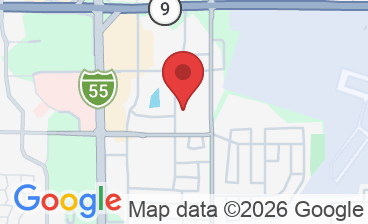
Headquarters: 131 N Williamsburg Dr. Bloomington, IL 61704
Tacoma, WA: 748 Market St #203, Tacoma, WA 98402, United States
Las Vegas, NV: 2300 W Sahara Ave Ste 800, Las Vegas, NV 89102, United States